Case study

Tennessee Theatre

The State Theatre of Tennessee, open since 1928. More than 150 part-time staff across 10+ roles and departments — and a back office running on paper sheets, spreadsheets and a magnet board. Now it runs on five custom tools, all in the theatre's own brand.

150+
part-time staff on the app
10+
roles and departments
5
custom tools, one brand
ADP
payroll, fed directly

What changed

BEFORE
Third-party scheduling apps that never quite fit how the theatre works
AFTER
One built for exactly how the theatre staffs a show — requests, approvals, call times and clock-in synced to ADP
BEFORE
A paper check-in sheet at the security desk
AFTER
An iPad at the stage door: clock in, radios out, initial out — and the invoice builds itself
BEFORE
A bin of found items, dug through every time someone called or stopped by
AFTER
Every item logged with a photo and the show it came from — searchable in seconds
BEFORE
Managers juggling comp-ticket spreadsheets
AFTER
An intranet where staff request and managers approve, deny or waitlist
BEFORE
A magnet board to slide when you entered or left the building
AFTER
Slide in on your phone — everyone sees who's in, which rooms are lit, and who arms the alarm
01 · Scheduling & time clock

Where am I working, when do I call in, and did my hours count?

The question every part-timer asks, answered on their phone. Hours go straight to ADP — nobody re-keys a timesheet.
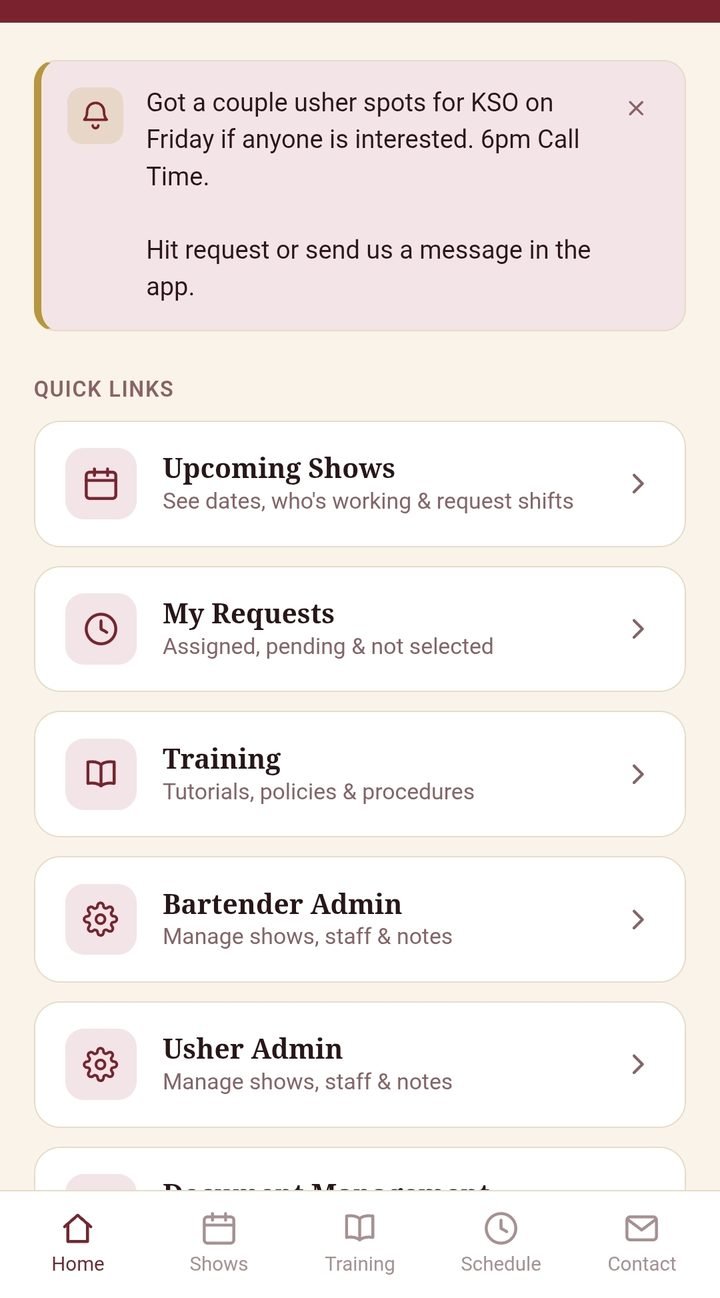
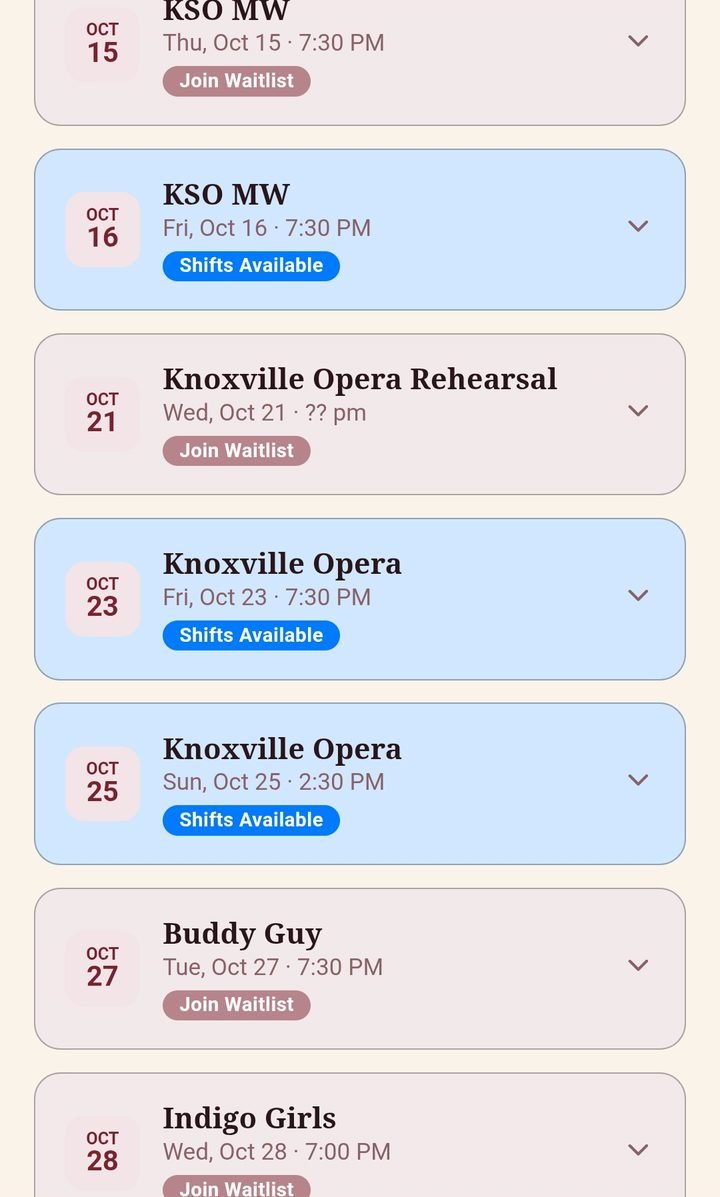
  • Staff request and cancel shifts; managers approve
  • Position and call time for every show, on the phone
  • Clock in and out, synced to ADP payroll
  • Reports for managers, across every department
Staff app home: announcements, upcoming shows, requests, training
Upcoming shows with open shifts and waitlists
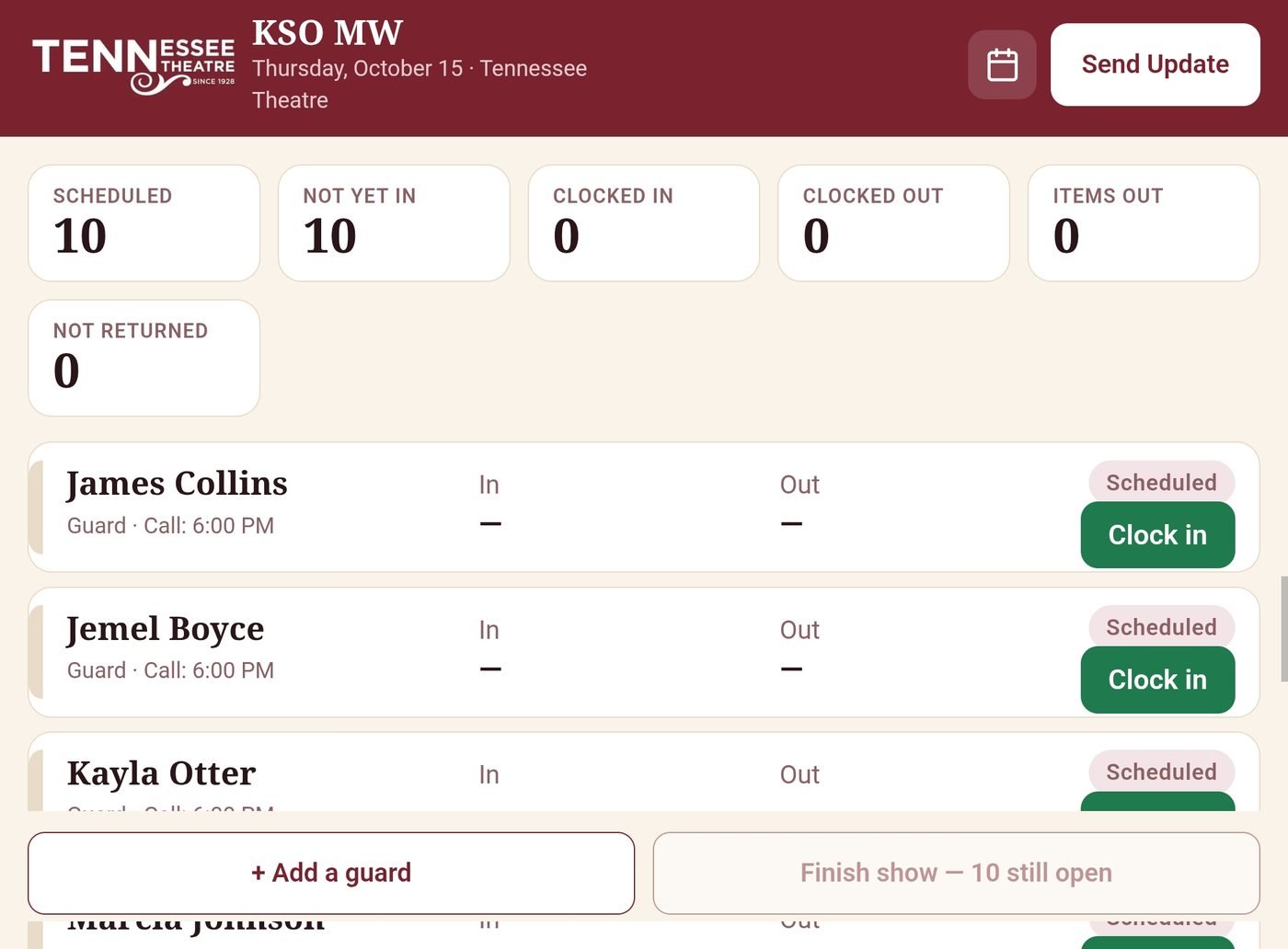
Stage door iPad: tonight's guards with call times, clock-in buttons, radio counts and a Finish show button
02 · Security check-in

The clipboard retired. The invoice writes itself.

The stage door guard runs the whole night from one iPad. No sign-in sheet, no radio log, no building the invoice by hand.

  1. Arrive. Each guard gets a radio and is clocked in with one tap.
  2. Leave. They return the radio, check out and initial on the screen.
  3. Finish the show. Once everyone's out, the guard taps finish. Reports go to the manager — with the invoice already built, ready to send.
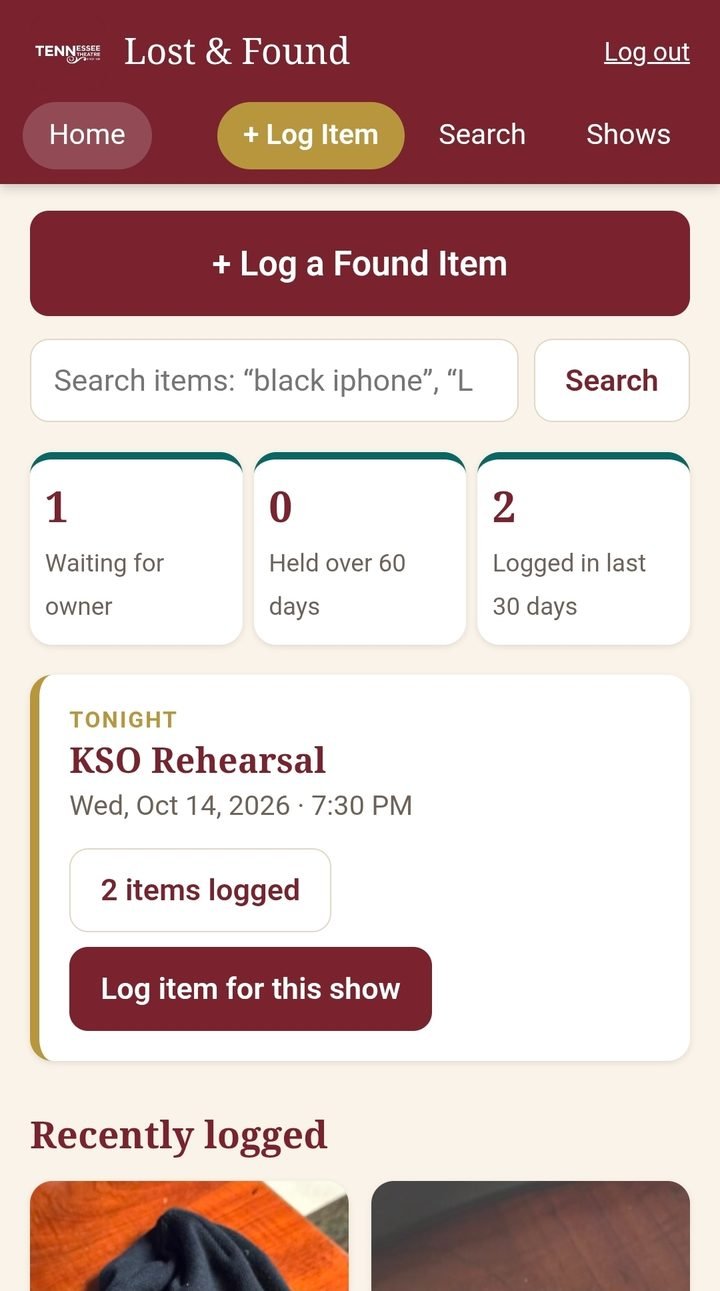
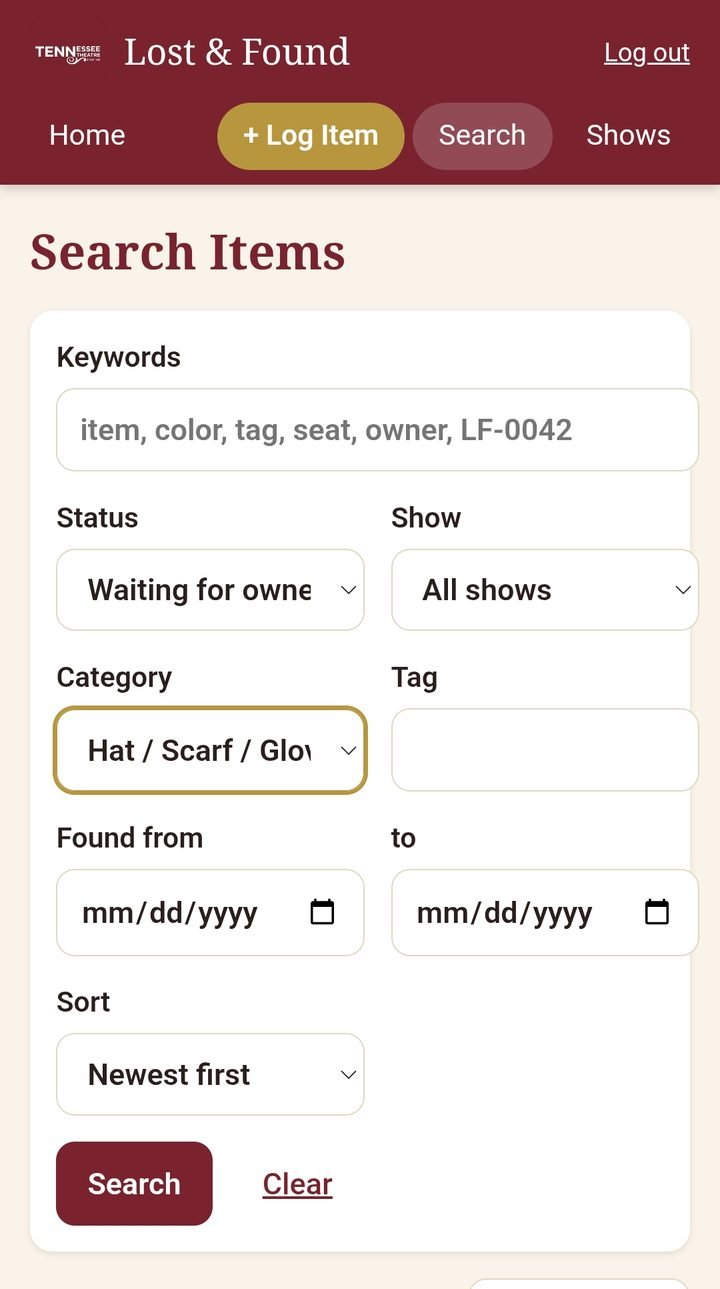
Lost and found home: log an item, counts, items tied to tonight's show Lost and found search by keyword, status, show, category and date
03 · Lost & found

Every item, tied to the show it was found at

Tag it after the show with a photo and a spot. Search by event, item or location when the call comes in.
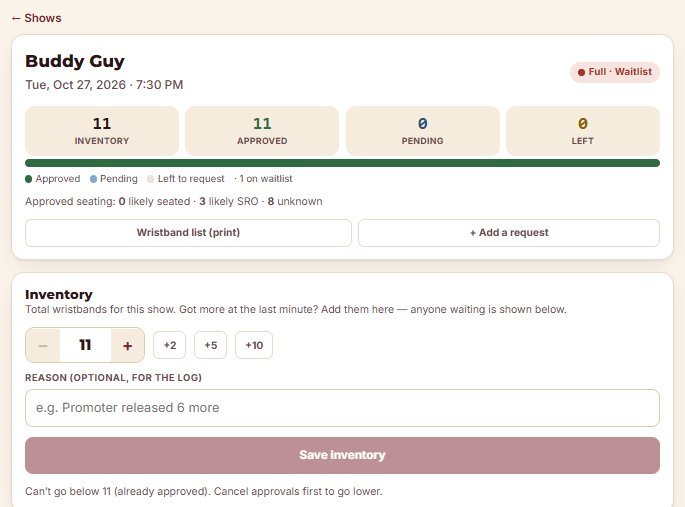
Wristbands show page: inventory, approved, pending and left, with quick +2, +5, +10 inventory buttons
04 · Wristbands · staff comp tickets

Ticket perks without the spreadsheet

Managers set wristband inventory per show and add more at the last minute. Staff and partner theatres request; managers approve, decline or waitlist — and print the will-call list.
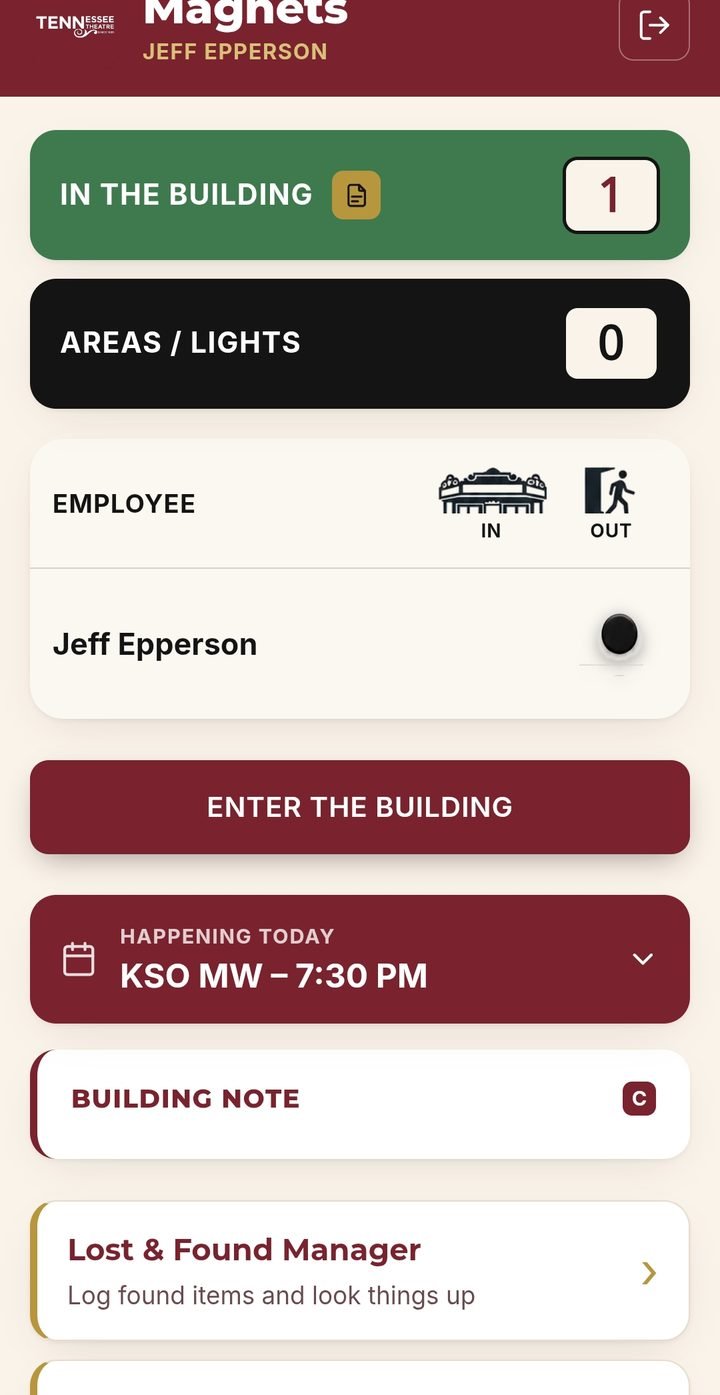
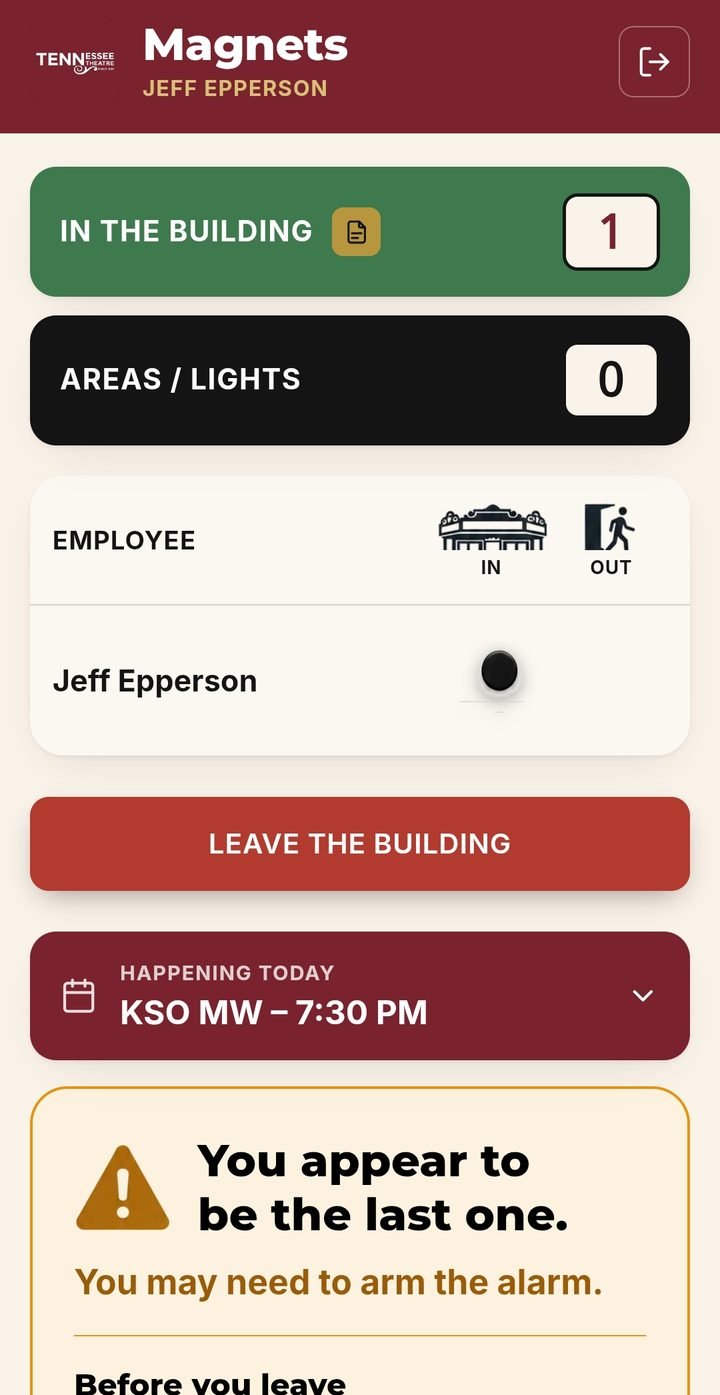
Magnets home: who's in the building, areas and lights, Enter the building button, today's events, building note, link to lost and found Magnets warning: you appear to be the last one, you may need to arm the alarm
05 · Magnets · staff hub

The magnet board became the full-time staff's front door

Tap "Enter the building" and your magnet slides to In. Everyone sees who's here and which areas and lights are on, plus today's events and building notes — and links to tools like lost & found. The last one out gets the alarm steps.
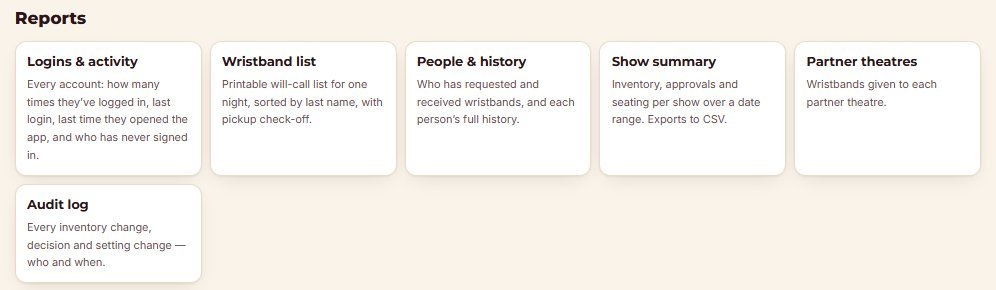
Wristbands reports: logins and activity, wristband list, people and history, show summary, partner theatres, audit log
04 · Wristbands reports: who's logged in, printable will-call lists, each person's history, CSV exports by date range, partner-theatre totals and a full audit log.
Behind the scenes · The manager's desk

Every show's staffing, at a glance.

Managers see roles, assigned, needed, requested and pending for every show, then approve in a click. Shows, schedules and staff import from CSV and ADP, and each tool reports on itself.
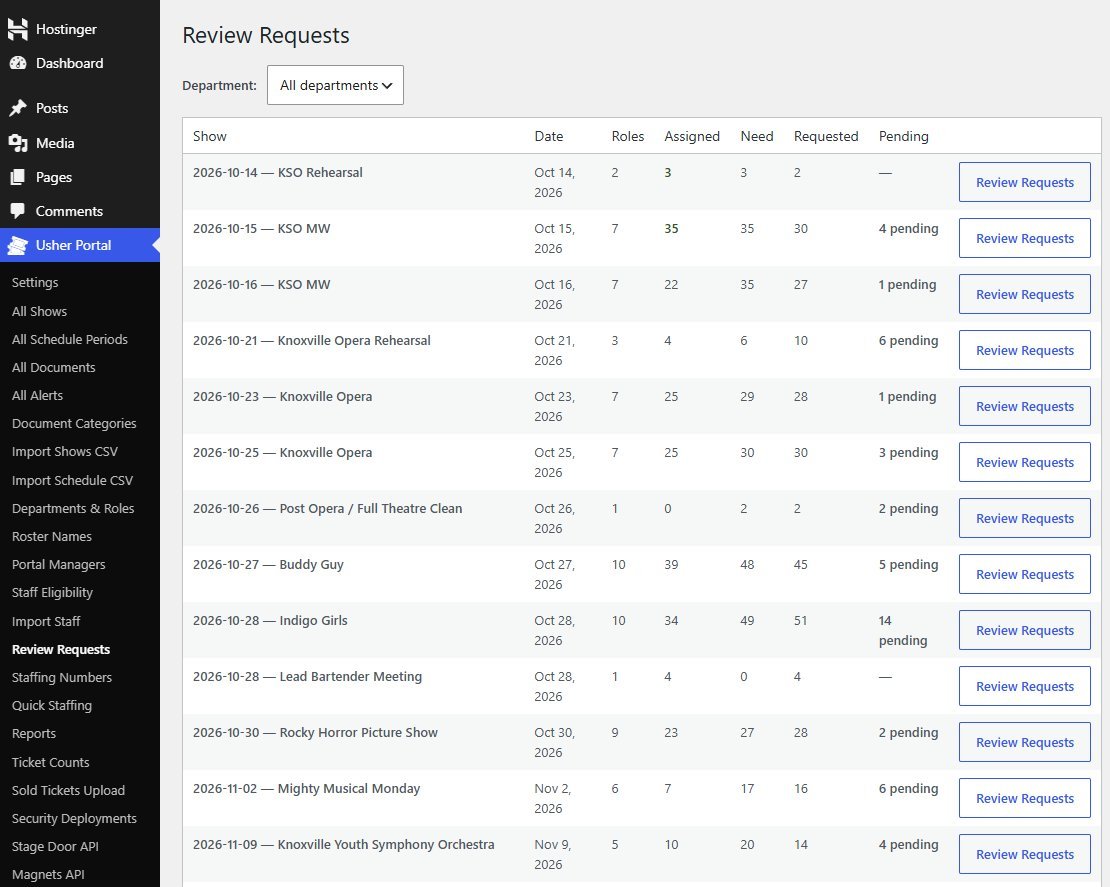
Admin Review Requests: each show with roles, assigned, need, requested and pending counts, beside a menu of portal tools and integrations
Review requests across every show — plus imports, eligibility, ticket counts and the APIs that tie the tools together.

It looks like theirs, because it is.

Every tool wears the theatre's own colors, type and logo. Staff don't learn a vendor's app — they open the Tennessee Theatre's.

Got a building full of clipboards?

Let's talk →